
Year
2025
Project Type
Healthcare Insurance Mobile App + Admin Dashboard
Duration
5 Months
Roles & Responsibilities
UX Research , Wireframing, UI Design, Prototyping, Design System, Developer Handoff

Discovery to direction
A research-led process for simplifying a high-stakes workflow.
I moved from vague screen requests into a structured product discovery process: understanding agents, mapping workflow constraints, studying healthcare patterns, and prototyping the MVP direction in Figma.
01
Clarified the product context
Stakeholder discussions revealed the core challenge: healthcare plan enrollment needed to become mobile-first.
02
Studied agents and workflows
Research covered insurance agents, user behavior, industry applications, pain points, and demographics.
03
Rapidly explored in Figma
Instead of hand sketches, I created multiple interface concepts and aligned stakeholders around one MVP direction.
04
Prepared build-ready guidance
The handoff included design system documentation, walkthroughs, implementation reviews, and continuous feedback.
The MVP system
A mobile app for agents, plus a web portal for operations.
The solution focused on the daily needs of healthcare agents while giving the support team the administrative visibility they needed behind the scenes.
5-step enrollment flow
A simplified guided workflow helped agents capture customer information and complete medical insurance enrollments with less effort in the field.

Built-in calling
Agents could contact customers instantly, keeping communication close to the enrollment task.

Integrated calendar
Agents could schedule meetings, manage appointments, and organize follow-ups without leaving the app.

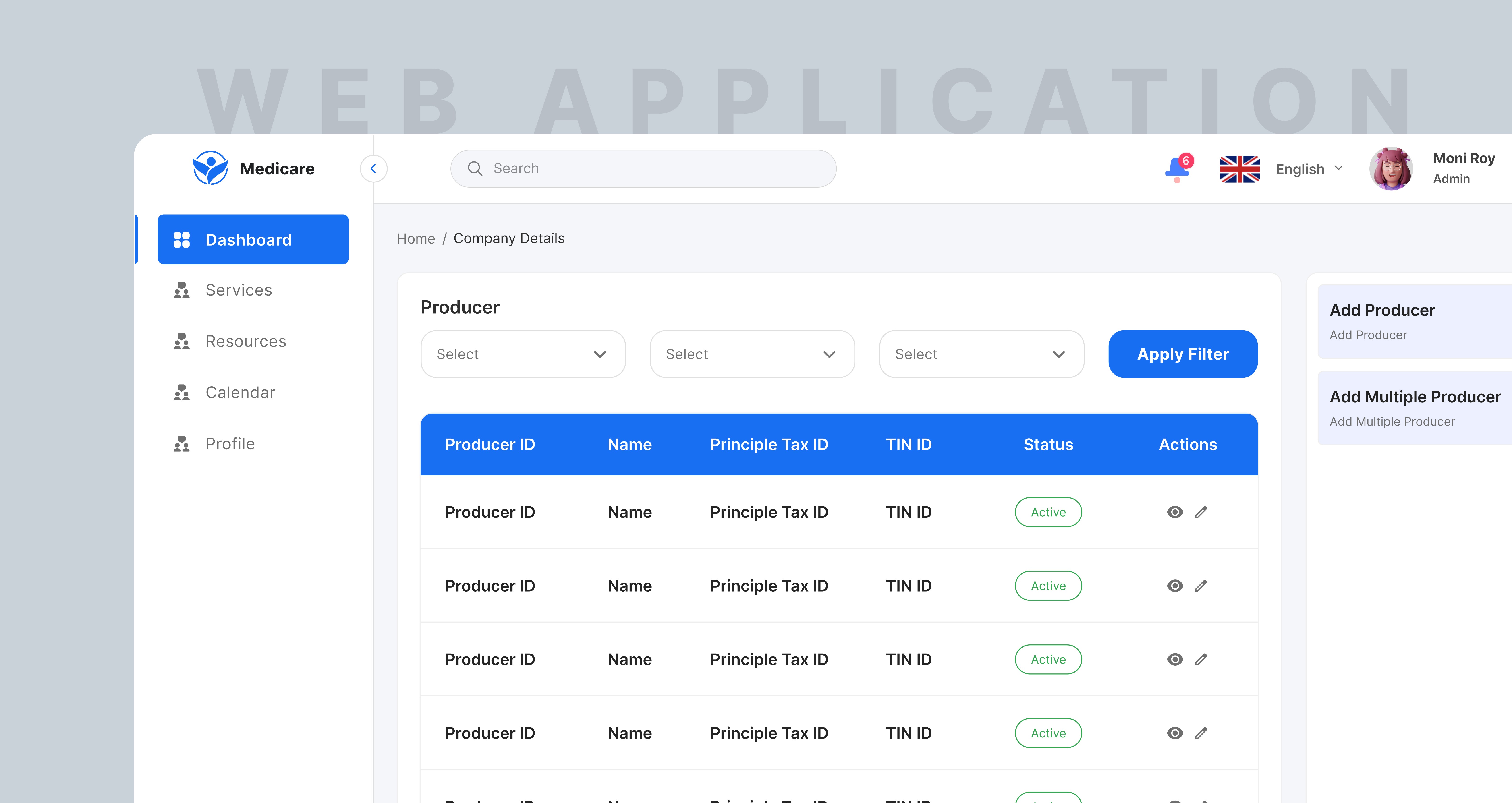
Web administration portal
The support team could manage tickets, monitor agent activities, and handle administrative operations more efficiently through a dedicated web experience.
Outcome
A cleaner, faster MVP that gave stakeholders confidence.
The final product delivered a clean and intuitive interface tailored to healthcare agents, a more efficient enrollment workflow, and a professional MVP that impressed stakeholders during client demonstrations.
✓ Mobile-first enrollment for field agents
✓ Design system, style guide, and reusable UI components
✓ QA and user testing refinements before handover
Learning the healthcare domain
The research helped uncover healthcare insurance workflows, regulations, and user expectations.
Cross-functional collaboration
Design walkthroughs and implementation reviews kept the product consistent through development.
User-centered problem solving
The final direction balanced stakeholder goals with the practical needs of agents working in the field.
